A UniFi restore that reports no errors, restarts cleanly, and lets you log in with your admin account, but somehow leaves you with an empty configuration, is a special kind of frustrating.
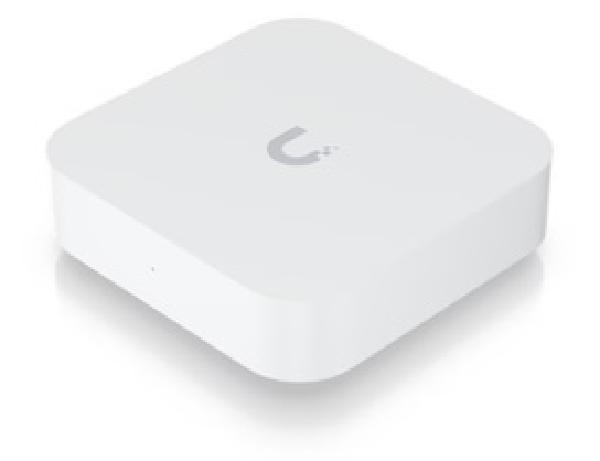
That’s exactly what happened to me a few days ago, moving my home network off HostiFi and onto a UniFi Express 7.
That’s the short version of what it took. It should have been a cable swap and a restore. Instead it turned into a two-attempt debugging exercise, followed by a workaround involving a throwaway Docker controller and some direct MongoDB open-heart surgery.
The Setup#
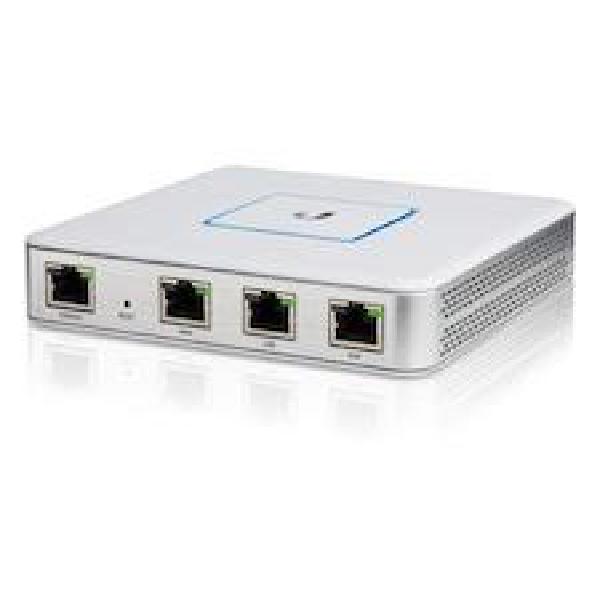
The network was running on a Ubiquiti UXG-Lite gateway, managed through HostiFi’s cloud-hosted UniFi Network Application (the legacy .unf-backup tier specifically, not their newer UniFi OS Server offering).
HostiFi has served me well for years. Reliable, hands-off, and it’s the reason I never had to run my own always-on box just to keep a controller alive. This move isn’t about leaving HostiFi for something better. It comes down to a hardware detail.
The UXG-Lite is what Ubiquiti calls an Independent Gateway. It has no built-in controller of its own, which is exactly why it can be pointed at an external one like HostiFi. The UniFi Express 7 is a different class of device entirely: a Cloud Gateway, and Cloud Gateways ship with the Network Application built in. Per Ubiquiti’s own documentation, a Cloud Gateway can’t be managed by an external controller at all, self-hosted or HostiFi-hosted.
I bought the Express 7 for its hardware: better WireGuard and IDS/IPS throughput, and a 2.5G LAN port instead of 1G. Moving the controller locally came along as a side effect of that, not the goal.
One quirk of the UX7 shaped the entire procedure below: it only has two ports, 1x10G WAN and 1x2.5G LAN. There’s no spare LAN port to use for setup and restore while staying isolated from the production network, which matters a lot once you get to the actual cutover.
Attempt 1#
First attempt was about as by-the-book as it gets: factory-reset the Express, ran through the setup wizard, let it auto-update its firmware, then restored the HostiFi .unf backup onto it.
The restore came back as partially restored.
The expected SLA in my household is somewhere around enterprise-grade, and a partially restored network late on a work night wasn’t going to cut it. So I reconnected the UXG-Lite for the night, while I figured out what had happened.
The root cause turned out to be simple, if easy to miss: the UniFi OS firmware had auto-updated, but the Network Application itself (the actual controller software running on top of that OS) had been left on an older version than the one the backup was taken on. The Express had auto-updated its OS but left the Network Application on 10.0.162, while the HostiFi backup was taken on 10.4.57. These two update independently of each other, and “the device says it’s updated” doesn’t tell you anything about which Network Application version is running.
Something I’ll be checking every single time from now on: Settings → Control Plane → Updates → Network Application, specifically. Not just whether the device itself claims to be updated, but the actual version number of the Network Application running on it.
Attempt 2#
Second attempt started with that lesson applied. Network Application versions verified as matching on both sides (10.4.57) before touching a single cable.
Connected the Express in parallel to the existing network, with a laptop plugged directly into it via an ethernet cable. Ran the wizard, restored. No error. The Express restarted. Login worked.
But none of the restored data or configuration was there. Empty configuration, no error message anywhere to explain why.
I ruled out the obvious suspects one at a time. Version skew: already matched this time. A corrupt backup file: fine, verified separately. The actual tell was simpler than either of those. Logging in afterward with the UI.com account (the only way to log into a UniFi OS console, restore or no restore) showed a completely empty, default configuration. No networks, no VLANs, no devices. Whatever the restore had done, it clearly hadn’t brought back the network I was running.
The Root Cause#
This is the part that isn’t documented anywhere obvious: UniFi OS consoles only import the internal default site from a full-controller .unf backup.
If your real configuration lives in a non-default site, meaning it’s a separate site record in the underlying database rather than the one flagged internally as default, the console silently imports the empty Default site instead. No error, no warning, nothing visibly wrong. It just quietly does nothing to the site that matters.
I never found this called out anywhere in Ubiquiti’s own restore documentation. It only became clear by digging into the site data directly and comparing what the HostiFi backup contained against what the Express had imported.
The Fix#
This is the part of the whole process most worth copying directly if you ever hit the same wall. Everything before it was just standard migration steps that didn’t work, for a documented reason. This is the actual fix.
Once the actual problem was identified, the fix was to rewrite the backup itself so its real site becomes the default site, rather than trying to convince the Express to import a non-default one directly.
HostiFi support could most likely have sorted this out for me directly, probably faster than I managed on my own. But by that point I’d already found the root cause myself, so I figured I’d give the DIY route a shot before opening a ticket.
The steps:
- Spin up a disposable UniFi Network Application in Docker, pinned to the exact same version as the backup (
10.4.57), backed by its own throwaway MongoDB container. It never touches the real network. Nothing on-site ever learns its address. - Restore the
.unfbackup into that disposable controller through its own setup wizard (the wizard’s own “restore from backup” option takes the.unfdirectly). A standalone controller like this is multi-site, so the real configuration comes across intact, sitting alongside an empty Default site. - The actual trick: shell into the Mongo container and swap the internal site
namekeys, so the real site becomesdefaultand the old default takes its old key instead:
docker exec -it unifi-temp-db mongoshuse unifi
db.site.find({}, {name:1, desc:1}) // note the real site's internal name key, e.g. "ab12cd34"
// three-way swap: can't just overwrite one key onto the other directly,
// since "default" already exists and Mongo won't let you collide the two
db.site.updateOne({name:"default"}, {$set:{name:"swaptmp"}})
db.site.updateOne({name:"ab12cd34"}, {$set:{name:"default"}})
db.site.updateOne({name:"swaptmp"}, {$set:{name:"ab12cd34"}})Devices and configuration reference sites by their internal MongoDB ObjectId, not by the site’s name key, so once the swap is done everything downstream (devices, VLANs, firewall rules) just follows along without needing to be touched individually.
- Restart the controller and confirm the default site now shows the full config: VLANs, SSIDs, firewall rules, all of it.
- Export a settings-only backup from that rewritten controller, not a full backup, just settings.
- Restore that file onto the Express, from inside the Network app itself (not the Control Plane backups page). This time it actually applies: VLANs, SSIDs, firewall zones and policies, VPN configuration, and all eight devices present and correct.
- Tear the throwaway controller down afterward. While it existed, its local state held a full copy of the network config, Wi-Fi passwords included.
Migration Day#
This is where that two-port limitation from earlier actually mattered. With no spare LAN port to isolate a test setup on, the WAN port borrowed a live internet connection for setup and restore instead, while the LAN side stayed disconnected from the production network. That kept two gateways from fighting over DHCP, and made sure the Express only took over the UXG-Lite’s IP address once it was ready to act as the gateway.
Once the restored configuration was verified, the real cable swap followed: modem to the Express’s WAN port, switch to its LAN port. The gateway came up at your.device.ip immediately, with the full restored configuration already in place. After everything above, the actual hardware swap was almost anticlimactic.
Re-Adopting the Rest of the Devices#
With the gateway itself migrated, the remaining problem was getting every other device (access points, switches) to check in with the new console instead of HostiFi.
HostiFi’s Inform Host Override, the standard mechanism for redirecting a device’s inform URL, doesn’t reliably hold. It’s a known behavior that the field can silently revert.
What actually worked: spoof the instance’s inform hostname locally. Most devices on this network were informing at http://hostifi.fqdn:8080/inform, worth checking directly on your own gear rather than assuming you already know it. Pointing that hostname at your.device.ip instead of HostiFi’s real IP, on the local DNS servers, was enough for those. Devices resolve that hostname on their normal ~30-second inform cycle, reconnect to the new console, and come back up as already-adopted. No per-device SSH required.
There’s a nice self-healing property to this too: once a device reconnects to the real console, that console pushes its own real inform URL back down to the device on first provision. Devices end up migrating themselves off the spoofed hostname without any further intervention. Delete the fake DNS zone afterward, and nothing’s left dangling.
Why Some Devices Didn’t Budge#
Partway through, a handful of devices simply weren’t reconnecting. Two separate inconsistencies were behind that, and neither was obvious until it caused a problem.
The first was DNS servers. Not every device on this network resolves DNS the same way. DHCP handed out different DNS servers to different devices: some pointed at a local DNS server, others at one of two separate Pi-hole instances, and Pi-hole doesn’t forward the spoofed domain the same way a standard resolver would. I’d only added the override on my authoritative DNS servers, so devices using Pi-hole for DNS kept resolving the real HostiFi IP the whole time, completely unaffected by the fix I thought I’d already applied everywhere.
The fix was to add the same override directly as a Local DNS Record in Pi-hole, which takes priority over upstream forwarding. Instant, no restart needed, except once, on one of the two Pi-hole instances, where a change wasn’t picked up live and needed a DNS resolver restart to take effect.
The very last straggler had no SSH support at all, confirmed the hard way. The TCP handshake completed, but the device reset the connection during the SSH banner exchange, before a client could even get to a login prompt. So the usual set-inform fallback was off the table too.
That’s where the second inconsistency showed up: not every device was even informing at the same URL in the first place. This one turned out to be using a vanity DNS alias, unifi.mydomain.example, pointing at the HostiFi hostname, rather than informing at the raw HostiFi hostname directly like the rest of the devices did. It had been adopted later than the rest of the network, added on at some point after everything else, and never got switched over to the raw hostname the way the older devices had. None of the DNS overrides above had touched it, since they’d only patched the raw HostiFi hostname, not anything aliasing to it. That explains why it had looked “fine” the entire time. It was successfully checking into HostiFi throughout, just not new local console I wanted it checking into.
That one got fixed the way HostiFi’s Inform Host Override was designed to work in the first place: applied once while the switch was confirmed online in HostiFi, it pushed the new address straight over the live inform channel, the one tool in the whole process that didn’t depend on DNS at all. If you’ve got any devices sitting behind a vanity alias you control, it’s worth adding a DNS override for that alias too, or just leaning on the Inform Host Override push for those from the start, since it sidesteps DNS entirely.
Cleanup#
A few things worth doing once everything’s confirmed working:
- Rotate the SSH credentials that came across in the restore from HostiFi.
- Remove the site from HostiFi and cancel the subscription.
- Tear down every temporary DNS record created along the way: the local DNS server, and both Pi-hole local records.
One small footnote: the old UXG-Lite never even showed up as an offline device on the new console after the restore. Not sure why, and I don’t have a good theory for it.
What I Got#
- Wi-Fi 7 built directly into the gateway, freeing up a wired access point to redeploy elsewhere in the house.
- 10G WAN and 2.5G LAN, up from the old 1G/1G.
- A local controller instead of an external one, so no more recurring HostiFi subscription.
- Zone-based firewall and Teleport VPN were both already present in the restored configuration, carried over from HostiFi, but they’re worth a mention now that they’re visible and manageable directly, rather than through a hosted dashboard.
Closing Thoughts#
None of this needed to take two failed restores and a throwaway Mongo instance. The actual lesson from both of them is a simple one: “no errors” doesn’t mean “it worked.” The only way to know is to check what changed, not whether the wizard complained.
The DNS side taught me the same lesson from a different angle, and it’s really a lesson about assumptions. I was confident every device on this network used the same inform URL and the same DNS server, and I was wrong on both counts. A network that’s grown organically over several years, with devices added at different times, isn’t nearly as uniform as it feels day to day. It’s worth checking rather than assuming, before you rely on a single DNS override to bring your whole network back.
Two failed restores and some Mongo surgery later, the network is running locally, off HostiFi, on hardware that’s a genuine step up. Worth it, but if I’d known about the non-default site issue going in, I’d have skipped straight to the temp-controller fix instead of restoring twice first.