How Did We End Up Here?#
My home lab has never been one box, at least not on purpose. It has been a cluster for close to twenty years, through several completely different sets of hardware, and this is at minimum the fourth full generation of it.
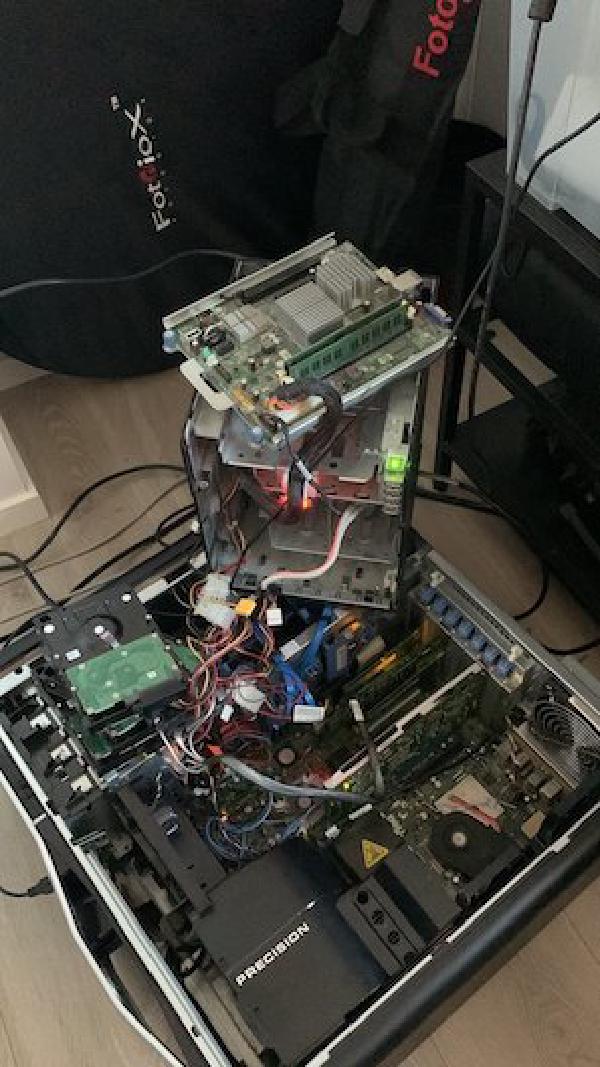
The oldest generation I still think about started as two Dell Precision T7500 workstations, 24GB of RAM and local storage each, running as a two node cluster rather than a single host. One of them died at some point along the way, and I never replaced it, so by the time I wrote about the lab in 2022 it was down to a single T7500. Alongside it I ran a small Synology DS216play and a much older HP MicroServer N36L on FreeNAS, mostly for bulk storage and backups. That combination ran for years without much drama.
The MicroServer is what finally forced a change. When it died, I replaced it with a Synology DS920+, and that purchase is what made me stop and actually look at the rest of the lab instead of just patching around the next failure. The conclusion was obvious: the whole thing needed a proper overhaul, not another one-off replacement. That is more or less how every home lab escalation starts, one dead box turns into rebuilding everything around it.
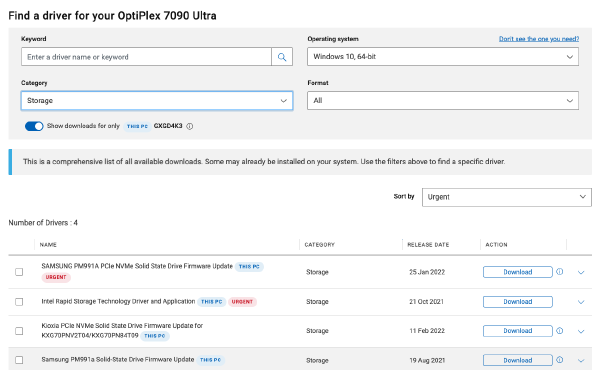
That overhaul, in 2022, became four Dell OptiPlex 7090 UFF units, 11th Gen Core i7-1185G7, 64GB of RAM and dual M.2 NVMe each, running VMware ESXi with vSAN. I wrote about that build at the time in The Home Lab: 2022 Edition, and the honest reason I ended up on OptiPlex micro desktops instead of Intel NUCs is that NUCs were simply not available during the 2022 supply chain crunch. It was the pragmatic choice, not an ideal one, but it still ran well for years.
The current generation is a three node cluster of identical ASUS NUC 15 Pro (NUC15CRHU7) units, each with an Intel Core Ultra 7 255H (16 threads), 96GB of RAM, a 2TB NVMe drive for Ceph plus a separate 500GB NVMe for the Proxmox VE OS itself, and whatever Intel Arc iGPU comes built into that chip, which is what Plex ended up leaning on for hardware transcoding.
Networking is dual onboard 2.5GbE per node, plus a Thunderbolt 4 ring dedicated purely to Ceph traffic. NFS from the same Synology DS920+ still handles bulk media. This post is the story of how that move happened, and what I actually built on the other side of it.
Why Now#
Two separate things pushed this rebuild, and neither one by itself would have been enough to justify it.
The first was blunt: two of the four OptiPlex 7090 nodes died. Not the compute, not the NVMe storage, the power supplies. On its own that is not much of a story, new power supplies would have brought both nodes straight back. But losing half a four node vSAN cluster at once was enough to make me stop and actually think about whether replacing two power supplies and moving on was the right call.
The second was about scope rather than failure. VMware Cloud Foundation and VVF’s system requirements on the 9.x line have grown to a point where running them at home, at least with my homelab footprint, stopped being practical, and newer ESX releases had also stopped playing along with the OptiPlex’s older CPUs in the first place. At the same time, I now have a proper work lab specifically for VVF/VCF work, so there is no longer a real need to force that workload onto home hardware just to keep my hands on it.
With the work lab covering VVF/VCF, the home lab was free to be something else entirely. I wanted to try something new and, honestly, something fun, and Proxmox VE fit the bill. Not that Proxmox VE itself is new to anyone, it has been around for a long time. It was just new to me, and that was reason enough.
With two nodes already dead and the platform requirements no longer fitting home hardware anyway, replacing the dead OptiPlex nodes in kind made no sense. It was a good moment to start fresh, and I chose Proxmox VE for the new cluster. It was not just the hypervisor that got redone either. The network itself moved from a Unifi UXG-Lite to an Express 7 with its own local controller around the same time, which I covered separately in Migrating from Unifi UXG-Lite to Express 7.
My home network had also quietly grown into two different things over the years, a lab side I use for poking at new stuff, and a side that had become genuine production, DNS and Home Assistant among them, things I actually depend on every day. No enterprise SLA I have ever signed has teeth like a spouse standing in the doorway asking why the WiFi is down. Nobody at work has ever threatened anything over five minutes of downtime. My family will, the instant Home Assistant forgets to turn the lights on. It was that production half that needed real process instead of more improvisation, and that is what actually pushed me toward GitOps.
The First Attempt#
This was not my first attempt at GitOps for the home lab either. Before what I ended up building this time, I had a repo called homelab-gitops, plus a completely separate repo for an application stack running elsewhere in the lab. State was split across two repos with no real relationship between them, which was already awkward to work with.
The real failure was worse than awkward, though. homelab-gitops had actual secrets committed to git history in cleartext: VRRP passwords among them. It was a private repo, so none of it was ever exposed to the outside world, but that is beside the point. Git history does not forget. Rewriting history to scrub it is possible in theory, but in practice, once a secret has been committed, the only fix I trusted was rotating everything and starting the repo over clean.
I do not want to frame this as some grand discovery of GitOps as a concept. I already knew what GitOps was. What that first attempt actually taught me was much narrower and much more useful: secrets need to be kept out of a repo from day one, and splitting related infrastructure across two repos creates more friction than it saves. The second attempt is a repo I called Dojo, and it is built directly around fixing both of those.
The name is not exactly a deep cut. This site is called vNinja. Even a ninja needs somewhere to train.
Dojo#
Dojo is one monorepo, replacing that earlier split entirely. Ansible owns all in-VM configuration, for the VMs it actually manages. Everything Ansible does here is hypervisor agnostic. It operates inside VMs and containers, not on Proxmox VE itself, and would work exactly the same way regardless of what created the VM in the first place.
VMs are, for the time being, manually created, and that is deliberate, at least until I decide on an automation stack for that side of things too. For this rebuild the focus was on applications and services, not on provisioning itself, so VM creation stayed manual while Ansible took over everything that runs once a VM actually exists.
Storage#
Storage is split by purpose. Ceph runs over the Thunderbolt 4 ring between the three NUC nodes, giving fast replicated disks for VMs, sized 3 with a min_size of 2, around 1.8TiB usable. Bulk media storage stays where it has been for years, on the Synology DS920+ over NFS.
Ceph over Thunderbolt#
The Thunderbolt side deserves more than a mention, even if it is not the point of this post. Each node’s Thunderbolt ports are cabled in a physical ring, one node to the next to the next and back around, and FRR running OpenFabric turns that ring into a logical mesh where every node can reach every other node directly. Lose a single cable or a single link and traffic reroutes around it instead of splitting the cluster. Getting there had its own share of gotchas, an old BIOS on any node is enough to stop the Thunderbolt ports from showing up at all, with no way around it except updating the BIOS itself. That deserved more room than a section here could give it, so I gave it its own post: Proxmox VE and Ceph Over a Thunderbolt Ring on Three NUCs.
Secrets#
Secrets never touch the git checkout. Every role that needs one keeps its real vars.yml gitignored, and CI copies the actual file in from a secrets directory on the self-hosted runner host at deploy time. That is the direct fix for the cleartext secrets problem from the first attempt, not a workaround, a structural change to where secrets are allowed to live.
The same thinking applies to getting into the VMs themselves. Every one of them uses a single shared SSH key for the ansible user, with passwordless sudo for anything that needs root. There is no root password to leak in the first place, because I genuinely do not have one. I could not tell you the root password for a single VM in this cluster even if I wanted to.
Deployment#
Deployment runs through a single self-hosted GitHub Actions runner, ghr-1. One repo, one runner, and each component has its own path-triggered workflow. Adding CI for a new component means adding another deploy-*.yml file, nothing more exotic than that.
How changes go live#
flowchart LR
    dev["git push"]
    gh["GitHub
 private repo"]

    subgraph ci["CI, path-triggered workflows"]
        wfdns["deploy-dns.yml"]
        wfcaddy["deploy-caddy.yml"]
        wfph["deploy-pi-hole.yml"]
        wfcf["deploy-cloudflare.yml"]
        wfdmz["deploy-dmz.yml"]
        wfdoc["deploy-docsite.yml"]
        wfetc["deploy-<service>.yml
 one per component, same pattern"]
    end

    runner["Self-hosted runner, ghr-1
 holds the real secrets"]

    dnsnodes["Knot + CoreDNS nodes"]
    phnodes["Pi-hole pair"]
    caddyhost["Caddy"]
    cfhost["cloudflared"]
    dmzhost["DMZ Caddy"]
    dochost["docsite"]
    etchost["everything else Dojo runs"]

    dev --> gh
    gh --> wfdns & wfcaddy & wfph & wfcf & wfdmz & wfdoc & wfetc
    wfdns & wfcaddy & wfph & wfcf & wfdmz & wfdoc & wfetc --> runner
    runner --> dnsnodes
    runner --> caddyhost
    runner --> phnodes
    runner --> cfhost
    runner --> dmzhost
    runner --> dochost
    runner --> etchost

    classDef external fill:#d97706,fill-opacity:0.18,stroke:#d97706,stroke-width:1px
    class gh external
A change to a zone file, a Caddyfile fragment, or an inventory entry goes out the same way no matter which component it belongs to. Push, the matching workflow fires, the runner applies it with the real secrets it holds locally, usually with a smoke test after to confirm it actually worked. Nothing here is special-cased.
Docs#
There is also a docsite generator that builds a live dashboard directly from the real Ansible configuration, with secrets redacted, published automatically through Docsify and Caddy. That matters more than it sounds like it should. A wiki page written by hand drifts from reality the moment anyone forgets to update it after a change. A docsite generated from the actual config cannot drift, because it is reading the same source of truth that runs the cluster.
Host Patching#
Host OS patching is kept separate from service deployment on purpose. ansible/maintenance globs every component’s inventory and patches hosts uniformly, decoupled from whatever each service’s own deployment lifecycle looks like. Patching the underlying Proxmox VE hosts and rolling out a new version of a service are two different operations with two different blast radii, and I wanted them to stay that way.
DNS and Caddy turned out to be the deepest example of all these principles in practice, layered resolvers, a deliberate zone split, a Cloudflare Tunnel, and a second Caddy just for the DMZ. That deserved more room than a section here could give it, so I gave it its own post: How DNS and Caddy Work in My Homelab. The actual day-to-day mechanics of that DNS, adding a host, standing up a new zone, what happens when it goes wrong, are covered separately too: Managing Hosts and Zones in My Homelab’s DNS.
Not Managed by Dojo#
Not everything in the lab lives under Dojo. Home Assistant and Plex both moved onto the new cluster too, and both run as hand-built appliance VMs outside Ansible’s reach, on their own terms.
Home Assistant#
Home Assistant moved onto the new cluster as its own appliance VM. It is not managed through Dojo at all. The migration itself was almost boring: install a fresh VM, restore a backup onto it, then update the IP address and DNS entry to match the new VLAN and subdomain scheme. It still got that DNS entry and a line in the docs, but Dojo does not own its configuration the way it owns DNS or Caddy.
Plex#
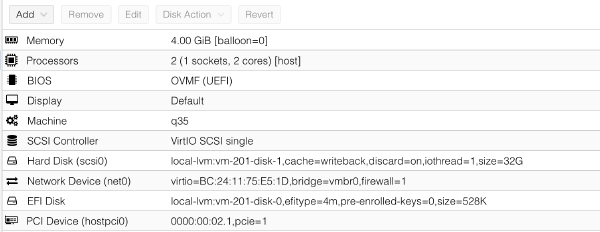
Plex also moved over, and it now uses Intel Arc SR-IOV passthrough on the ASUS NUC 15 Pro nodes for hardware transcoding. I already wrote up the full details of that SR-IOV setup separately, including the kernel driver work and the Plex beta requirement, in Intel Arc SR-IOV Hardware Transcoding with Plex on Proxmox VE. I will not repeat that here, but it is worth pointing out how it fits into Dojo. Plex is a hand-built appliance VM, much like Home Assistant, and Dojo does not manage its actual configuration either. What it does get is OS patching, a bare inventory entry is enough for the same maintenance role that patches everything else to pick up the Plex host too, just enough involvement to keep the OS current and not one inch more.
Closing Thoughts#
None of this is finished, and I doubt it ever really will be. VM deployment will probably get its own automation eventually, and the Ceph and Thunderbolt build still deserves a proper writeup of its own.
And yes, two independent DNS resolvers, VRRP failover at two different layers, anti-affinity rules, a DMZ with its own Caddy and its own Cloudflare token, and a tunnel with a login wall standing in front of each service’s own auth, all for a home network, is overengineered to the point of absurdity. That is more or less the whole appeal of a home lab. If I actually wanted the sensible amount of infrastructure for this, I would not have a home lab at all.
The parts that had genuinely become production, DNS and Caddy chief among them, are sitting in Git now instead of living only in my head, and that was the whole point of doing any of this.
After all, what is the use of having a Dojo if you never actually train in it. And wow, did I learn a lot along the way.