I found this by accident, going back through my own network for an unrelated reason. Nothing had broken. Nothing looked wrong. Several VLANs that used to be isolated from each other simply weren’t anymore, and the only reason I know that is because I went and checked.
Legacy and Zone-Based Firewall engines#
UniFi runs two different firewall engines. The older one is the legacy engine: a flat list of rules, source and destination, allow or block. The newer one is the Zone-Based Firewall (ZBF), built around zones and zone-pair policies instead.
Ubiquiti documents a real path between the two: on an existing gateway, click Upgrade under Security -> Traffic & Firewall Rules, and legacy rules get mapped into equivalent zone policies automatically. Ubiquiti’s own migration guide covers it directly, and nothing just vanishes on that path.
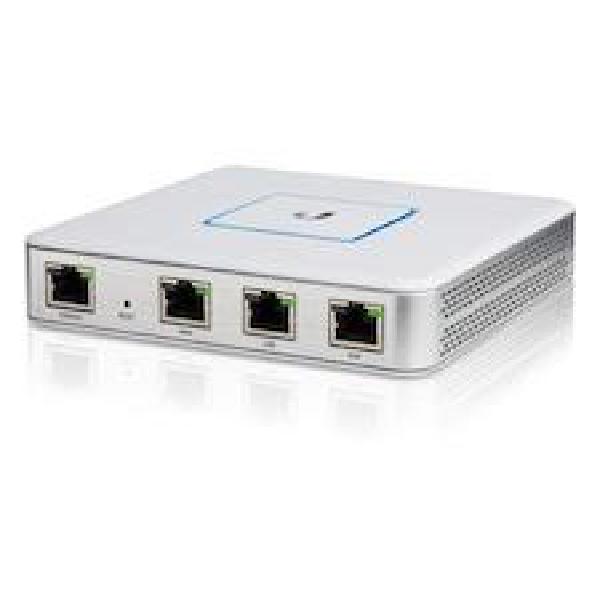
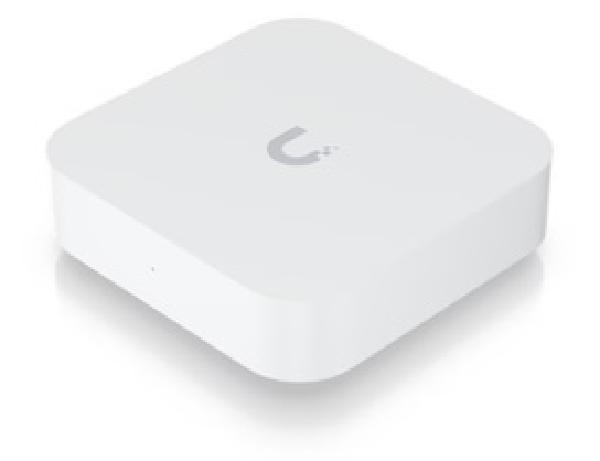
That is of course not the path I took. I moved my own gateway from a UXG-Lite to a UniFi Express 7 a few weeks ago: back up the old gateway, set up the new one, restore the backup onto it. The UXG-Lite was still on the legacy engine, and I never ran the in-place Upgrade on it first. The Express 7 defaults to ZBF out of the box.
My best explanation for what happened next: restoring a legacy-engine backup directly onto already-ZBF-enabled hardware doesn’t run the same mapping logic the Upgrade button does, so there’s no equivalent for the restore to map the old rules into. That’s my own read of the mechanism, not something Ubiquiti has confirmed anywhere. What I do know for certain is that in my case, the rules just vanished.
A restore just writes back the exact records that were in the backup, and a legacy-engine rule doesn’t mean anything to ZBF, there’s no shared format for one to land in.
What did come across, cleanly, was everything else. Port forwarding rules restored without issue, since they aren’t tied to the firewall engine version at all. It’s specifically the legacy ruleset-based inter-VLAN policies that had nothing to map to and got left behind, which is exactly what made the restore look completely successful right up until I went looking for something specific.
I’ll be honest, this is an edge case of my own making, and it genuinely didn’t occur to me to check firewall-engine compatibility before doing the swap. A backup and a restore felt like the boring, foolproof part of the process. If I’d upgraded the UXG-Lite to ZBF in place first, the documented process would likely have carried the rules forward. I didn’t, and Ubiquiti’s backup and restore documentation covers moving a backup to new or replacement hardware, but it says nothing about firewall-engine compatibility either way. Nothing I could find, anywhere, addresses this specific combination, a legacy-engine backup restored straight onto already-ZBF-enabled hardware. Whether that’s an oversight or just a narrow interaction nobody anticipated, I can’t say. What I saw on my own network is the only confirmation of it that exists right now. The documented migration path itself works exactly as advertised, I just never ran it.
A device doesn’t complain#
Nothing about the backup-and-restore flags this. There’s no error, no warning in the controller UI, nothing in the restore or update log that says “your firewall rules did not come across” (at least that I could see). VLANs keep their subnets. DHCP keeps handing out addresses. SSIDs keep broadcasting. Every device you’d normally check still gets online and still reaches the internet.
The only thing that changed is whether traffic can now cross a VLAN boundary that used to be sealed off, and that’s not something normal daily use is likely to surface. A device doesn’t complain when a firewall stops blocking it. It just talks to things it couldn’t reach before, and unless something is actively watching for that traffic, there’s nothing to notice.
The legacy rule list was empty#
Several VLANs on my network had deliberate isolation rules under the legacy engine before the swap. IoT was one of them. It took a while before I actually checked the legacy rule engine directly to see what, if anything, had survived, mostly because everything seemed to be working fine. Perhaps too well. It was completely empty, no leftover rules sitting there disabled or unused, nothing. The VLANs themselves were all still configured correctly, subnets and DHCP and all. The policies that used to isolate them from each other and from my main network had simply not made the trip over to the new hardware.
IoT is the one I’ve written up in detail separately: UniFi’s Zone-Based Firewall Changes the IoT VLAN Rule walks through rebuilding that specific rule under ZBF, including why the right replacement is a scoped block rule rather than a straight copy of the old allow rule. That post is the concrete example. This one is about the general problem: every other affected VLAN on my network had the identical gap, and none of them had anything ZBF-specific keeping them isolated.
The specific combination that breaks#
If you’ve ever built rules under UniFi’s legacy firewall engine, and at some point since then replaced your gateway hardware by backing up the old gateway and restoring straight onto a new one that defaults to ZBF, without first running Ubiquiti’s own in-place Upgrade on the old gateway, this is you. If you upgraded to ZBF on the existing hardware first, Ubiquiti’s documented process does carry your rules forward. This is about what happens when that step gets skipped entirely and you go straight from a legacy-engine backup to already-ZBF-enabled hardware. If you don’t remember running that migration before your last gateway swap, there’s a real chance you’re currently running with less isolation than you think you have.
Go check your own ruleset#
Start by confirming which engine your site is actually running. Under ZBF, rules show up as zone-pair policies with a source zone, destination zone, and action. The old flat ruleset doesn’t look anything like that. Then check whether the legacy engine still holds anything. A site that’s clearly running ZBF policies now with a completely empty legacy ruleset is the tell, there’s nothing left to have migrated, because nothing did. And don’t take the existence of some ZBF policies as proof everything is covered, either: go through every VLAN you ever deliberately isolated, one at a time, and confirm there’s an actual policy enforcing that isolation under the current engine. A correctly configured network and an enforced network are two different checks.
Run the upgrade first, then audit anyway#
If you’re planning a gateway hardware swap and you’re still on the legacy engine, run Ubiquiti’s own migration to ZBF on the old gateway first. It’s documented, and it gives you something to verify afterward instead of nothing, which is more than I had.
Either way, treat the swap as a full audit trigger. Go back through every VLAN boundary you ever cared about and confirm the rule is actually there under whichever engine you’re on now.
And don’t use “the network still works” as your evidence that it’s fine. It might even be working better than you think it should, now that nothing’s stopping traffic from flowing across all of the VLANs. That’s exactly what this failure looks like from the outside too. The only way to know is to go check the ruleset directly, the same way I eventually did, just hopefully before you find it by accident.