VMware Labs has released a new fling called Makyo (魔境 makyō means “ghost cave” or “devil’s cave.”) which basically is a tool to copy VMs or vApps from one vCenter instance to another.
It works by doing an automated OVF export on the source vCenter, and then an import on the destination vCenter.
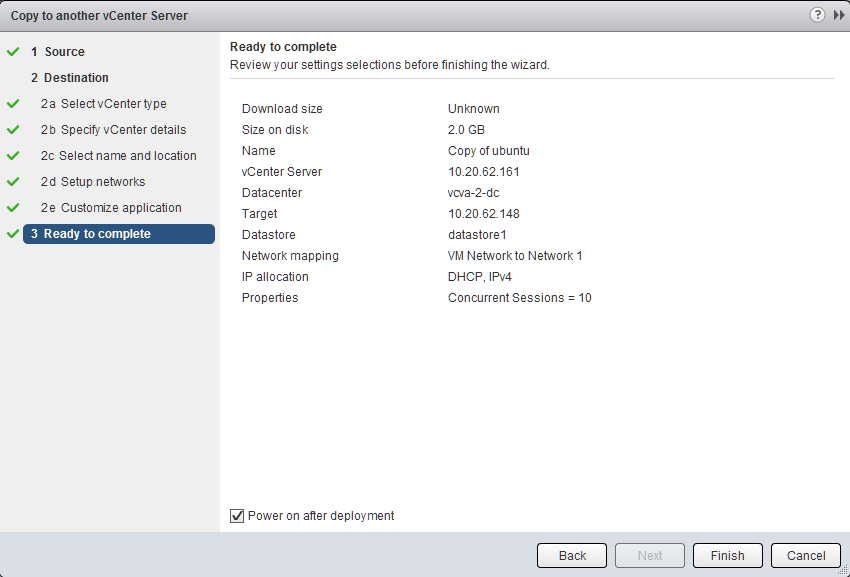
The plugin integrates directly into the vSphere Web Client, and I hope to see this feature installed by default in future versions of the Web Client.
A small suggestion: #
I hope that in future versions of Makyo, you could use the same tool to copy VMs or vApps from standalone ESXi hosts into your vCenter infrastructure. Today you can use VMware Workstation to move and copy between local to Workstation storage, standalone ESXi hosts and vCenter managed infrastructure and adding the same kind of feature set to the Web Client would be great.
It would make it easier to migrate from small test environments to live production environments, all inside the vSphere Web Client.
Related Posts
- Cross vCenter VM Mobility Fling - macOS? — Published
- Nordic VMUG Conference - My Thoughts — Published
- VMware VCAP-DCD Boot Camp — Published
- Can Microsoft really be Fair and Balanced? — Published
- VMworld Europe 2013 - Here I Come — Published